Project Zomboid Mods Stuck Downloading or Not Loading

If mods are stuck downloading when you join a Project Zomboid server, the fix is almost always in your Steam settings, not the game itself. Here is what to check.

Why Mods Get Stuck on Download

When you join a modded Project Zomboid server, the game automatically subscribes to and downloads all required Workshop mods for you. If the download hangs or never completes, it is almost always a Steam issue, not a problem with the server or the mods themselves. Steam manages the actual download, and PZ just waits for it to finish.

Mods only need to be downloaded once. After the first successful download, joining the same server again is instant.
01

Check Steam's Download Queue

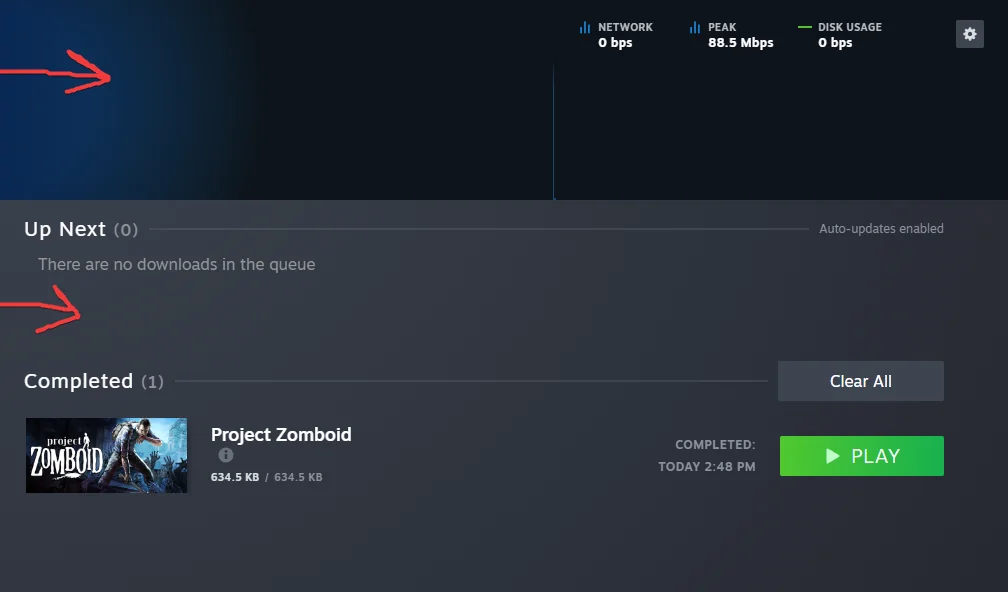
Open Steam and click Library. At the bottom of the screen, look for the download progress bar. If Steam is already downloading something else, it may have queued your mod downloads behind it.

Click the download bar to open the Downloads page. Check for:

  • Downloads that are paused: click the resume button next to them
  • Other large downloads (game updates, other games) that are ahead in the queue
  • Downloads stuck at 0 bytes/sec with no error message
Check Steam's Download Queue
02

Check If Steam Downloads Are Paused Globally

Steam has a global pause toggle. In the Steam menu bar, click Steam > Settings > Downloads and make sure Throttle Downloads is not enabled with a 0 limit. Also check if Only auto-update games between is limiting download hours - if your current time is outside that window, downloads are paused.

03

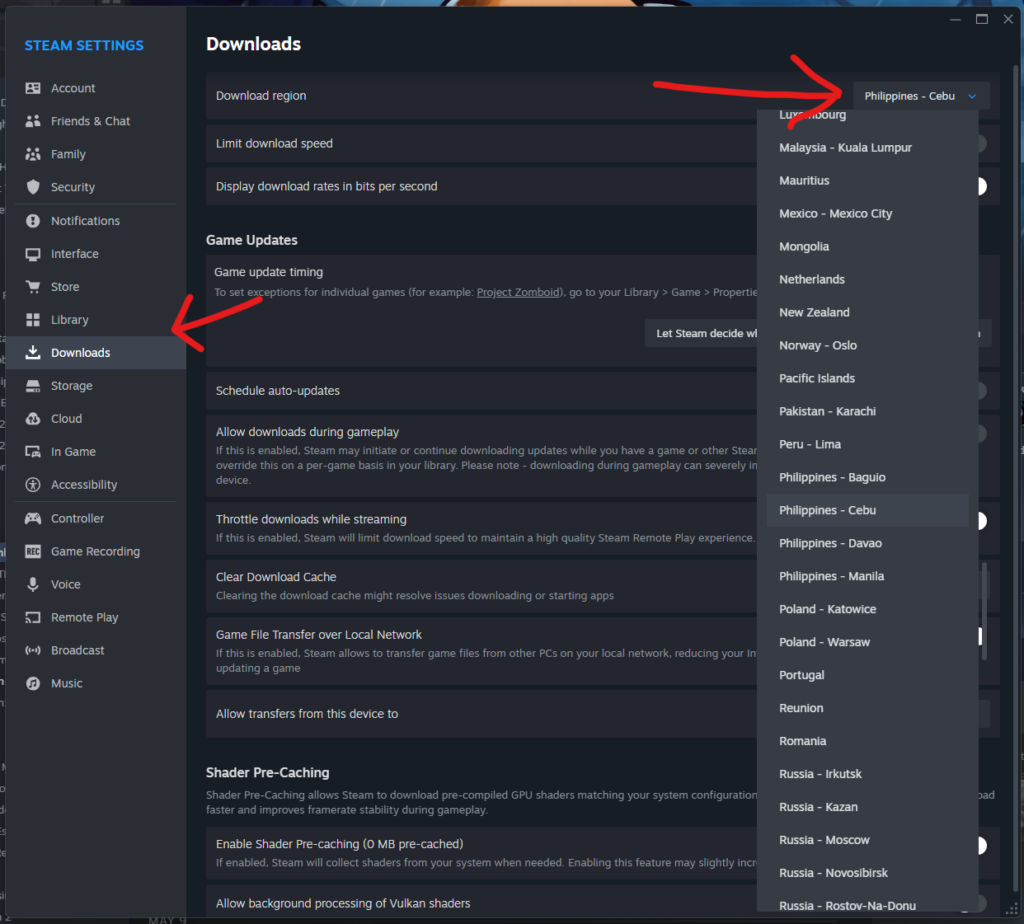
Change Your Steam Download Region

If downloads are queued but not moving, the Steam download server in your region may be congested. Changing to a different region often fixes this immediately.

  1. Open Steam Settings
  2. Go to Downloads
  3. Change Download Region to a nearby region (try Singapore, Japan, or Hong Kong if you are in the Philippines)
  4. Click OK and restart Steam
Change Your Steam Download Region
04

Clear the Steam Download Cache

A corrupted download cache can cause stuck downloads that never resolve. In Steam Settings > Downloads, click Clear Download Cache. Steam will log you out and restart. Log back in and try joining the server again.

05

Verify Mods Are Actually Subscribed

Occasionally the auto-subscription fails silently. Go to Steam > Workshop > Your Files > Subscribed Items and search for the mod names. If they are not there, try joining the server again to trigger re-subscription, or manually subscribe to the mods from the Workshop page.

06

Restart Steam Completely

If nothing else works, fully close Steam (right-click the tray icon, select Exit) and reopen it. A full restart often clears stuck download states that the pause/resume button does not fix.